Ptah 发布 AI 开发环境:桌面端、VS Code 扩展与 CLI 三端共用一套智能体团队
Hive-Academy/ptah-extension
Hive-Academy 开源 AI 开发环境 Ptah,同一核心提供桌面应用、VS Code 扩展和无头 CLI 三种形态,MIT 许可免费使用。它先索引代码库并保留持久记忆,采用 BM25 与向量检索加 RRF 融合,用 Tree-sitter 解析 JavaScript、TypeScript、Python 和 Go。
Ptah — The Coding Orchestra
An AI dev team that learns your architecture and keeps shipping.
Persistent memory, a staffed team of agents, and always-on delivery — in a desktop app, a VS Code extension, and a headless CLI.
Website · Download · Documentation · VS Code extension
See it work
The video above is a real session, not a mockup. It shows memory recall, sub-agent fan-out, and scheduled runs.
Short feature clips:
| Clip | Topic |
|---|---|
| Install | Install the desktop app on your platform |
| Sign in | Accounts, keys, and credential storage |
| Workspace analysis | Scan a repository and detect its stack |
| Agent generation | Generate a project-specific agent team |
| Agent orchestration | Spawn, monitor, and steer headless agents |
| Built-in MCP server | The ptah_* tool catalog and code execution |
| Model providers | Add providers, keys, and models |
| Plugins | Install skills and workflow packs |
What Ptah is
Ptah is an AI development environment for real projects. It indexes your repository before the first message, keeps the decisions it makes after the last one, and runs a team of specialized agents against that shared map.
One core powers three surfaces:
| Surface | What it is | Best for |
|---|---|---|
| Desktop app | Native app for Windows, macOS, and Linux | The complete product, including always-on runs |
| VS Code extension | Sidebar and full-panel webview | Work that stays inside the editor |
| CLI | Headless JSON-RPC 2.0 over stdio | CI pipelines, scripts, and agent-to-agent use |
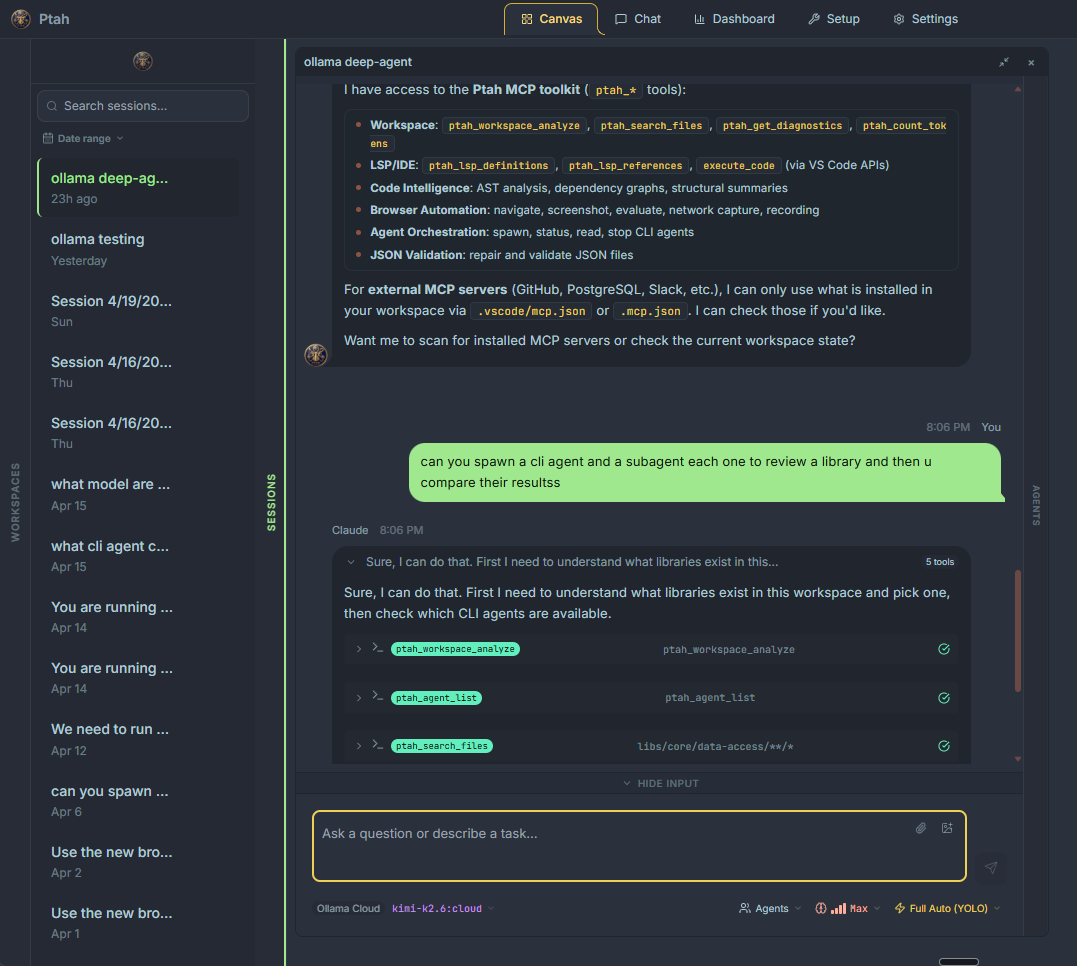
Three pillars
1. It knows your architecture
Ptah builds a map of your codebase and keeps it.
- Persistent memory — hybrid BM25 and vector search, fused with Reciprocal Rank Fusion. The agent that builds feature ten recalls the auth pattern from feature one.
- Tree-sitter indexing — structural AST parsing across JavaScript, TypeScript, Python, and Go. Every function, class, and import gets an exact file position.
- Hybrid symbol search — ask "where do we validate auth tokens" in plain English. Ranked, cited results go straight into agent context.
Read more: Memory · Workspace analysis
2. A staffed team, not a solo agent
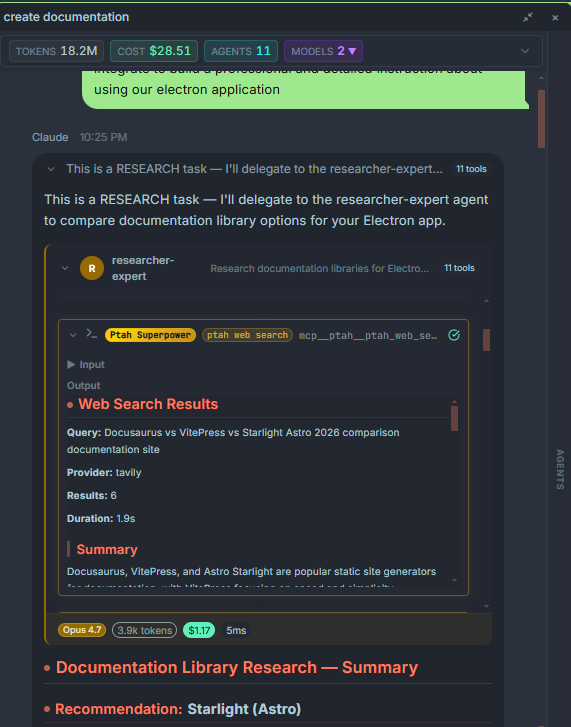
- Sub-agent orchestration — a main agent delegates to specialists: architect, backend developer, frontend developer, tester, and reviewer. Each specialist can use its own provider, model, and context window.
- Orchestra Canvas — up to nine concurrent sessions in one drag-and-resize grid. Background agents continue while you review a single tile.
- Tribunal — put several vendors on one panel. One implements, a different one reviews the diff, and a third judges the disagreement.
- Skill synthesis — when a delivery pattern succeeds, Ptah extracts the trajectory, judges its quality, and promotes it to a permanent, shareable skill file.
- Execution tree — every tool call, sub-agent, token count, and cost, live.
Read more: Agents · Skill synthesis · Tribunal
3. It keeps shipping while you sleep
- Cron scheduler — SQLite-backed scheduled runs. Nightly security reviews, weekly dependency scans, or the next ticket in the backlog.
- Messaging gateways — trigger and approve agent work from Telegram, Discord, or Slack, with voice input. Discord keeps a separate agent context per thread.
- Approval relay — review every tool call and diff before it executes, from any connected gateway.
Read more: Automation
More capabilities
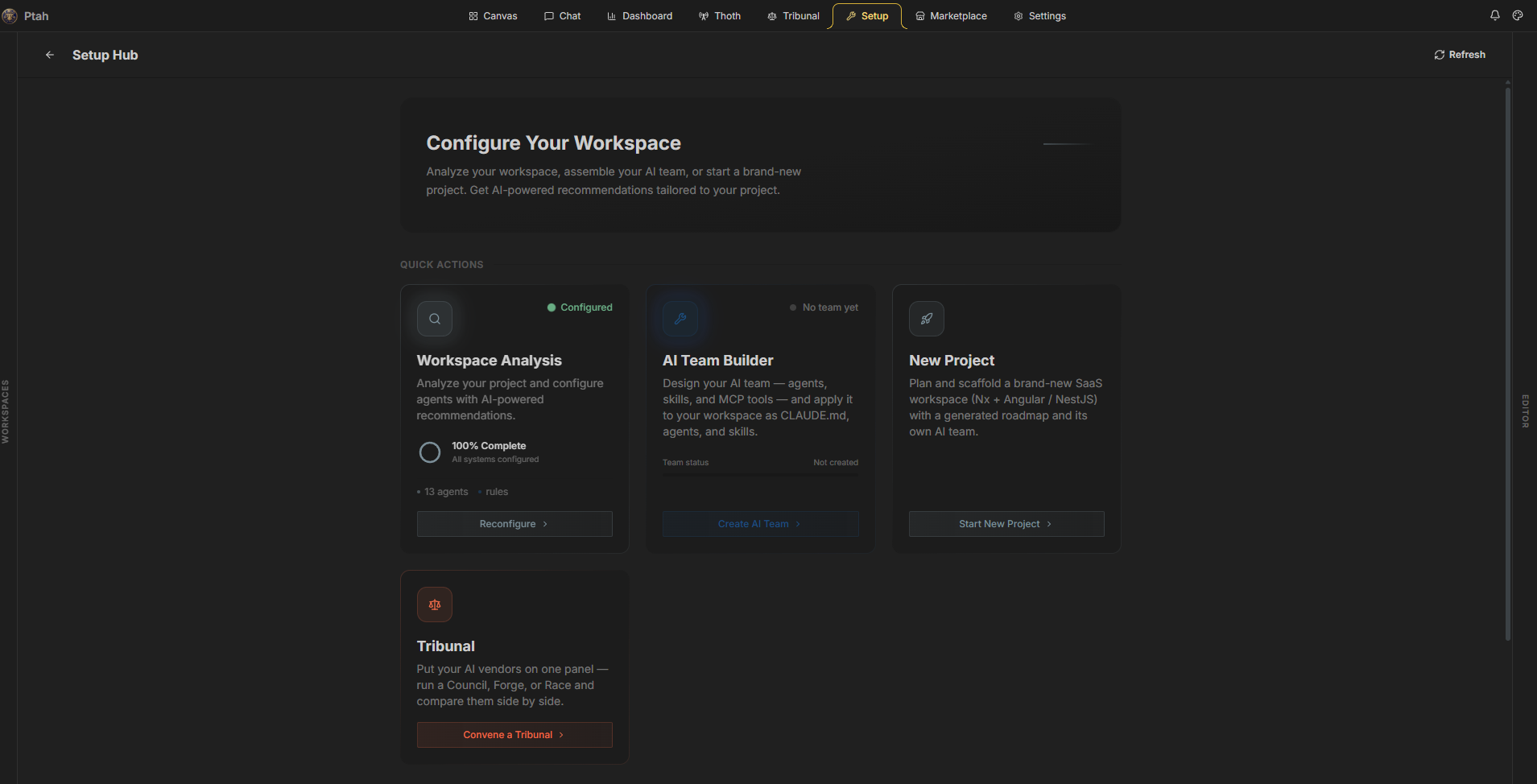
- Setup wizard — scans the workspace, detects the project type and frameworks, then generates agents, rules, and skills for that project.
- New project scaffolding — plan and scaffold a fresh Nx workspace with a generated roadmap and its own agent team.
- Built-in MCP server — a local server on loopback exposes the
ptah_*tool catalog: workspace analysis, LSP diagnostics, AST analysis, symbol search, dependency graphs, browser automation, agent spawning, and sandboxed code execution. - Stdio MCP server (
ptah mcp-serve) — drive Ptah from any MCP-compliant host. External orchestrators can spawn, monitor, and steer agents, or delegate a whole task. - Browser automation — navigate, click, type, read content, capture the network, take screenshots, and record sessions.
- Marketplace and plugins — install skills, workflows, and MCP servers. External installs need explicit consent bound to the resolved version and file hashes.
- Harness sync — one reconciler writes your agents, skills, and MCP intents into the harness folders of every supported AI tool.
- Tasks board — a six-column Kanban over the task specs in
.ptah/specs/. - Editor tools — Monaco diff view, integrated terminal, file tree, git status, and a commit composer.
- Cost and token tracking — per session, per model, and per agent, with history and export.
Providers
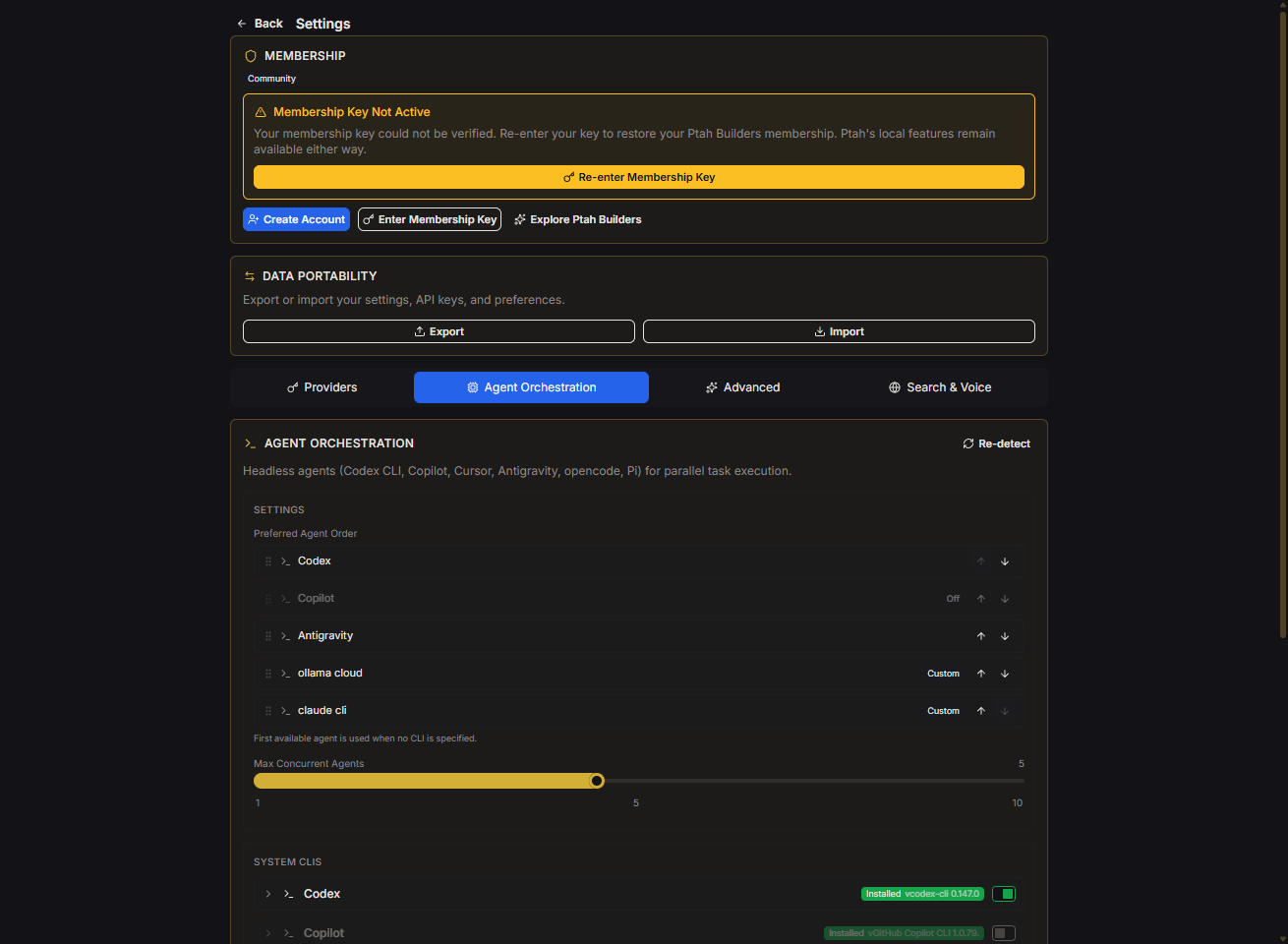
Ptah is provider-agnostic. Bring the vendors you already use:
- Frontier model vendors, through their own SDKs and OAuth sign-in.
- More than 200 models through OpenRouter.
- Local models through Ollama.
- Rival coding CLIs that are already installed on your machine, detected automatically and used as headless workers.
Keys stay on your machine, in the operating system secure store. Mix vendors so the model that reviews a security-sensitive diff is not the model that wrote it.
Read more: Providers
Get started
Desktop app
- Download the installer for your platform from ptah.live/download.
- Install and open the app.
- Open a workspace folder.
- Run the setup wizard from Setup → Workspace Analysis.
- Start a session, or open Thoth to configure memory, schedules, and gateways.
VS Code extension
- Install Ptah — The Coding Orchestra from the VS Code Marketplace.
- Open the Ptah icon in the activity bar.
- Add a provider in the settings panel.
- Run the setup wizard.
CLI
npm i -g @hive-academy/ptah-cli

ptah init --human                          # guided setup on a terminal
ptah doctor                                # confirm the install is ready
ptah session start --task "explain this repo"
The CLI runs standalone. It does not need VS Code or the desktop app.
Read more: Getting started · CLI guide
Pricing
Ptah is free and open source under the MIT license. There is no trial and no credit card.
Ptah Builders is a paid membership for cohort sessions, private support, and community packs. The product itself stays free. Join the waitlist at ptah.live.
Development
Ptah is an Nx monorepo. The apps and libraries share one hexagonal core.
apps/          # desktop app, VS Code extension, webview, CLI, TUI,
               # license server, landing page, docs site, e2e suites
libs/backend/  # runtime-agnostic services; ports live in platform-core,
               # adapters in platform-vscode | platform-electron | platform-cli
libs/frontend/ # Angular 21 feature libraries (signals, OnPush)
libs/shared/   # the one bridge between frontend and backend
libs/api/      # NestJS libraries for the license server
libs/web/      # Angular libraries for the marketing site
git clone https://github.com/Hive-Academy/ptah-extension.git
cd ptah-extension
cp .env.example .env
npm install

npm run dev              # watch the extension and the webview
npm run electron:serve   # run the desktop app
npm run cli:dev          # run the headless CLI
npm run docs             # serve the documentation site
npm run landing          # serve the marketing site

npm run lint:all
npm run typecheck:all
npm run test
npx nx graph             # visualize the dependency graph
Architecture rules, coding standards, and per-project guides are in the instruction files at the repository root and in each app and library folder.
Contributing
Read CONTRIBUTING.md before you open a pull request. Report a security issue through SECURITY.md.
License
MIT © Ptah Orchestra
来源:GitHub · github.com