Al-Heekmah Library 开源古兰经应用 alquranalkareem:端侧 AI 诵读校验
alheekmahlib/alquranalkareem
Al-Heekmah Library 发布开源古兰经应用 alquranalkareem,基于 Flutter 构建,覆盖 Android、iOS、macOS、Windows 及 Linux 和 Web。
القرآن الكريم — مكتبة الحكمة
Al-Quran Al-Kareem — Al-Heekmah Library
📲 Download
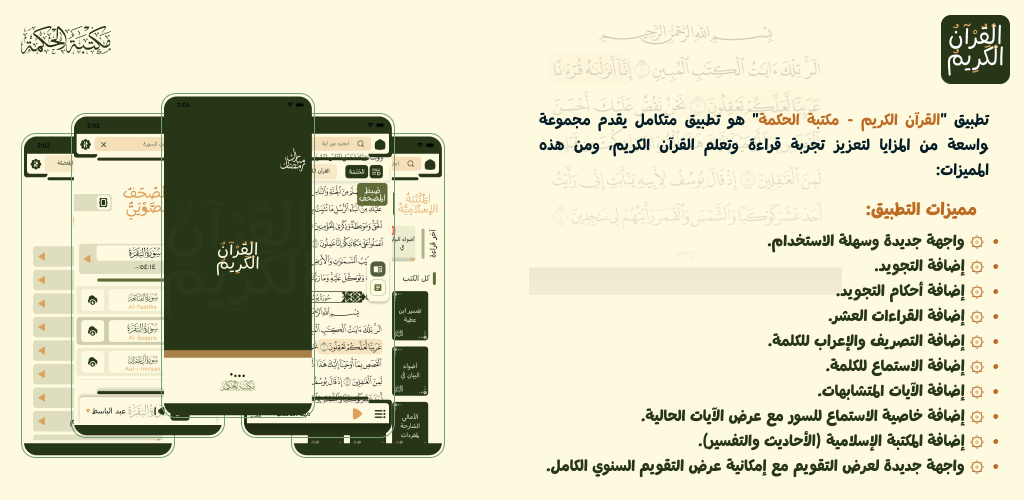
🕌 About The App
Al-Quran Al-Kareem (القرآن الكريم — مكتبة الحكمة) is a free, open-source Quran application built with Flutter for Android, iOS, macOS, and Windows — also available on Linux and web. It is based on the King Fahd Complex edition of the Mushaf and combines a beautiful reading experience with advanced memorization tools, on-device AI recitation verification, a smart AI assistant, and a rich Islamic knowledge library.
The app is under active development — new features are shipped regularly, and contributions from the community are welcome.
✨ Features
📖 Quran Reading
- King Fahd Complex Mushaf — the exact print of the Madinah Mushaf, page by page.
- Two reading modes — classic page (Mushaf) mode or verse-by-verse mode.
- Word-by-word interaction — tap any word to listen to it, or open its analysis.
- Waqf (stop) signs — clearly marked pause indicators for correct recitation.
- Smooth navigation — jump directly to any surah, page, or juz; instant full-text search across all ayat.
🎙️ Tasmee — Recitation Testing & Memorization
The flagship section. Open the Quran page, tap the mic, and recite — the app verifies your recitation word by word, fully on-device using an ONNX speech model:
| Mode | How it works |
|---|---|
| Tasmee | The ayat are hidden; words appear as you recite them correctly. Ideal for testing memorization. |
| Recitation Corrector | Ayat stay visible. On a mispronounced word, a sheet opens showing the mistake, plays the correct pronunciation, and repeats until you say it right. |
| Quran Teacher | The selected qari recites the ayah first, then you repeat after him — looping until the whole ayah is correct. |
- Switch modes from the mode-selector sheet on the Tasmee bar.
- Every completed page is saved with its results — revisit your history any time from the pages list.
- The recognition model is downloaded once from Tasmee settings (manageable / deletable anytime).
🎧 Audio & Recitation
- Dozens of reciters for both full-surah and ayah-by-ayah playback.
- Live ayah highlighting while listening.
- Word audio — listen to any single word to perfect your pronunciation.
- Playlists — queue ayat and surahs for continuous listening.
- Offline mode — download surahs and listen later without a connection.
🤖 AI Assistant & Smart Search
- Natural-language Quran search — ask questions and get answers grounded in the Quran, powered by a unified LLM layer (OpenRouter / Zai / Mistral — configurable).
- Hybrid retrieval — combines classic keyword search (BM25), vector embeddings, and MCP knowledge services (tafsir & seerah) for accurate, referenced results.
- Chat history — your conversations are saved locally for later reference.
- Requires API keys in
assets/.env(see Environment Configuration); the rest of the app works without them.
📚 Knowledge Library
- Multiple tafsir & translations displayed beside the ayat.
- Islamic books library — hadith and tafsir books with chapters, bookmarks, and a comfortable reading view.
🕌 Azkar — Hisn al-Muslim
- Complete remembrance collection organized by sections.
- Favorites, fast navigation between categories, and a daily dhikr on the home screen.
🔎 Study Tools
- Similar ayat (Mutashabihat) — a dedicated section that groups look-alike verses to ease memorization and review.
- Word morphology & syntax (التصريف والإعراب) — breakdown of every word.
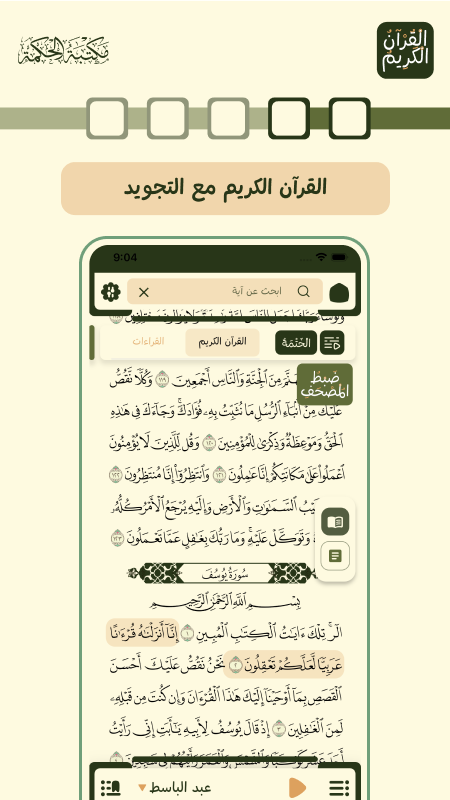
- Tajweed rules — color-coded tajweed, plus the Ten Qira'at where available.
📌 Bookmarks, Khatmah & Reading Stats
- Bookmark ayat and pages; resume exactly where you stopped.
- Khatmah mode — track your progress completing the Mushaf, with reading-hours statistics.
- Share ayat as beautifully formatted images or text.
📅 Calendar & Daily Content
- Hijri calendar with a full-year view.
- Daily ayah notifications and a home-screen widget.
🔄 QR Device Sync
- Sync your bookmarks, khatmah progress, and reading data across your devices without an account — pair devices by scanning a QR code (a secret 128-bit room id, relayed through a self-hosted Cloudflare Worker + D1 backend; see Sync Backend).
🎨 Personalization
- Light / dark themes and multiple color schemes.
- Fully offline-capable reading; surah audio can be downloaded for offline use.
- 10 languages: Arabic, English, Spanish, Indonesian, Kurdish, Filipino, Russian, Somali, Turkish, Bengali.
- Beautiful Uthmani and Naskh fonts, including Urdu (Nastaliq) and Bengali scripts.
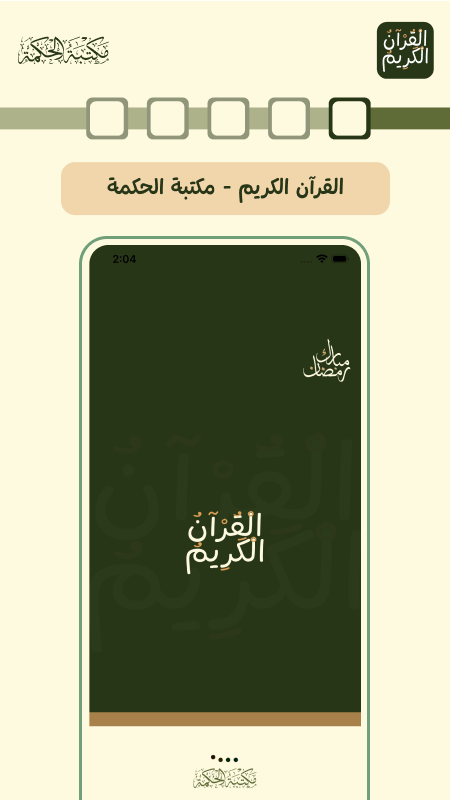
📸 Screenshots
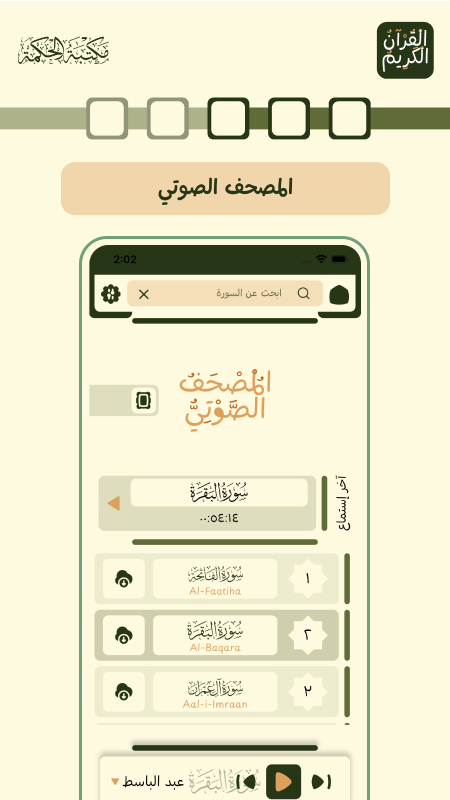
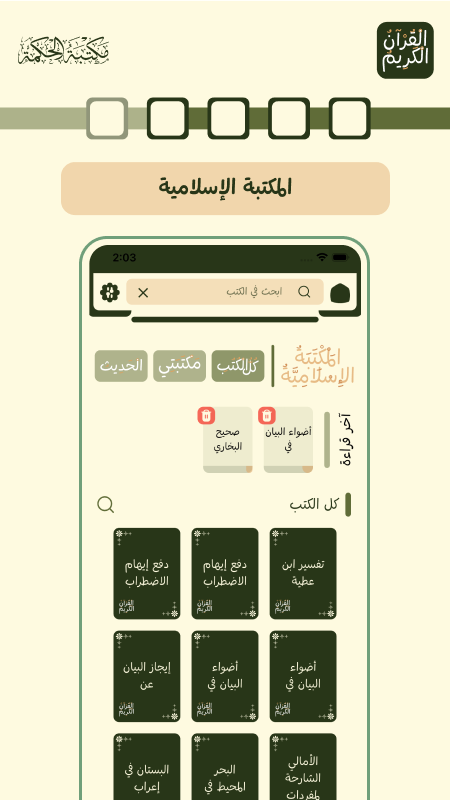
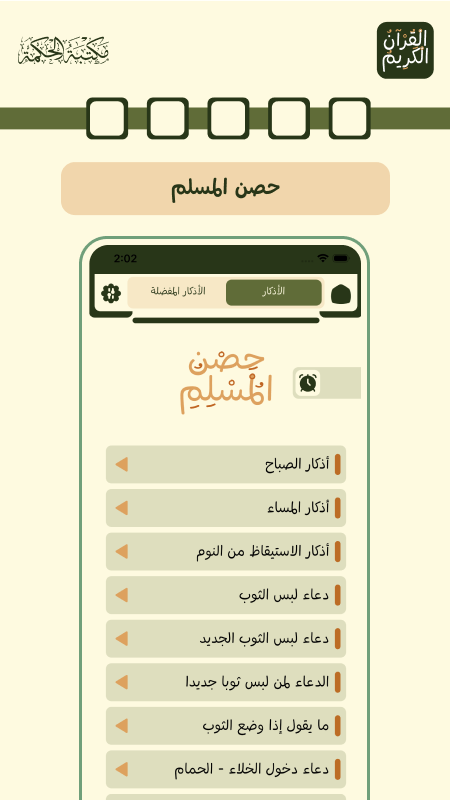
🛠️ Tech Stack
| Concern | Technology |
|---|---|
| Framework | Flutter (Dart SDK ≥ 3.12) |
| State management | GetX (get) + get_it service locator |
| Local database | Drift (SQLite) + GetStorage |
| Quran engine | quran_library |
| Networking | Dio |
| Audio | just_audio via quran_library / audio services |
| On-device AI | flutter_onnxruntime (Tasmee speech model), embeddings + BM25 hybrid search |
| Notifications | awesome_notifications, background_fetch |
| Env config | flutter_dotenv |
| Code generation | build_runner (Drift), flutter_gen |
📂 Project Structure
lib/
├── core/                    # App-wide services and utilities
│   ├── services/            # API client, notifications, sync, home widget…
│   ├── utils/               # Constants, extensions, styles
│   └── widgets/             # Shared widgets
├── database/                # Drift databases (bookmarks, …)
├── presentation/
│   ├── controllers/         # Global controllers (settings, theme, …)
│   └── screens/
│       ├── quran_page/      # Mushaf, reading, audio, tasmee, bookmarks, search
│       ├── ai_search/       # AI assistant & hybrid search
│       ├── books/           # Islamic books library
│       ├── adhkar/          # Hisn al-Muslim azkar
│       ├── calendar/        # Hijri calendar
│       ├── sync/            # QR device-sync UI
│       └── …                # home, surah_audio, feedback, whats_new, …
└── main.dart                # Bootstrap (env, DI, storage, notifications)

sync_service/                # Cloudflare Worker + D1 (TypeScript) — QR sync backend
test/                        # Unit & widget tests
🚀 Getting Started
Prerequisites
- Flutter SDK (stable channel) with Dart ≥ 3.12 — install via flutter.dev/docs/get-started/install.
- Android: Android Studio with platform tools;
minSdk 24,compileSdk 37. - iOS / macOS: Xcode with an available iOS/macOS simulator or a connected device, plus CocoaPods.
- Verify your setup:
flutter doctor
Installation
# 1. Clone the repository
git clone https://github.com/alheekmahlib/alquranalkareem.git
cd alquranalkareem

# 2. Install dependencies
flutter pub get

# 3. (Optional) Configure API keys — see section below
cp assets/.env.example assets/.env   # or create assets/.env manually

# 4. Run the app
flutter run
🔐 Environment Configuration
The app runs without any keys — only the AI Assistant needs them. assets/.env is git-ignored; start from the provided template (all listed providers have free tiers):
cp assets/.env.example assets/.env
# then edit assets/.env and fill in the keys you want| Variable | Provider | Purpose |
|---|---|---|
ZAI_API_KEY |
z.ai | GLM Flash — free & unlimited |
MISTRAL_API_KEY |
Mistral AI | Mistral Small/Medium — permanent free tier |
OPENROUTER_API_KEY |
OpenRouter | Free models (Nemotron, etc.) |
HEEKMAH_MCP_ENDPOINT |
Self-hosted MCP | Islamic sections search (Hadith, Fiqh, Aqeedah) |
SEERAH_MCP_ENDPOINT |
Self-hosted MCP | Seerah & history search |
Models whose keys are empty are hidden from the in-app model selector automatically. If the file is missing, the app still starts normally and the AI Assistant shows a friendly configuration error when opened.
Build & Code Generation
Drift database code is generated — regenerate after changing table definitions:
dart run build_runner build --delete-conflicting-outputs
Release builds:
# Android APK / App Bundle
flutter build apk --release
flutter build appbundle --release

# iOS / macOS
flutter build ios --release
flutter build macos --release
Releasing — six independent manual workflows in .github/workflows/, run whichever you want from the Actions tab:
| Workflow | What it does |
|---|---|
release-github.yml |
Builds Android/macOS/Windows/Linux (production signing, notarized macOS) and publishes a versioned GitHub Release with direct downloads |
release-play.yml |
Builds a signed AAB and uploads it to the production track (press "Send for review" once in Play Console) |
release-testflight.yml |
Builds a signed IPA and uploads it to TestFlight |
release-appgallery.yml |
Builds a signed APK and attaches it to the AppGallery Connect draft release (review not submitted) |
release-mac-appstore.yml |
Builds a signed Mac App Store .pkg and uploads it to TestFlight |
release-microsoft.yml |
Builds a signed MSIX (workflow artifact for manual Partner Center upload); with MS_* secrets configured (company Partner Center accounts only) it also creates a Store draft submission automatically |
Every release: bump version: in pubspec.yaml (e.g. 5.6.0+125) and write release_notes/<version>/ar.md (+ optional en.md, es.md, tr.md, bn.md, … — Google Play limit is 500 chars per language). The GitHub Release body is ar + en; Play what's-new files are generated from the same folder.
Required GitHub secrets (per workflow): DOTENV_BASE64, ANDROID_KEYSTORE_BASE64, ANDROID_KEYSTORE_PASSWORD, ANDROID_KEY_ALIAS, ANDROID_KEY_PASSWORD (Android builds); MAC_DEV_ID_P12_BASE64, MAC_DEV_ID_P12_PASSWORD, ASC_KEY_ID, ASC_ISSUER_ID, ASC_KEY_P8_BASE64 (GitHub Release macOS); PLAY_SERVICE_ACCOUNT_JSON (Play); IOS_P12_BASE64, IOS_P12_PASSWORD, IOS_PROFILE_BASE64, IOS_PROFILE_WIDGET_BASE64 (TestFlight / Mac App Store); MAS_INSTALLER_P12_BASE64, MAS_INSTALLER_P12_PASSWORD, MAS_PROFILE_BASE64, MAS_PROFILE_WIDGET_BASE64 (Mac App Store); AGC_CLIENT_ID, AGC_CLIENT_SECRET (AppGallery); MS_TENANT_ID, MS_CLIENT_ID, MS_CLIENT_SECRET (Microsoft Store — optional; enables the automated draft submission and requires a company Partner Center account linked to Azure AD).
🧪 Testing
flutter testThe suite covers the Tasmee modes and word-retry verdicts, results storage, sync logic, playlist storage, the notification engine, azkar data integrity, and more (test/).
☁️ Sync Backend
sync_service/ is a small Cloudflare Worker + D1 relay (TypeScript) used by the QR device-sync feature. It is optional for local app development — the app gracefully handles an unreachable sync endpoint.
cd sync_service
npm install
npm test          # vitest on miniflare
npm run typecheck
Deployment instructions (D1 creation, migrations, wrangler deploy) are in sync_service/README.md.
🧰 Troubleshooting
| Problem | Likely cause | Solution |
|---|---|---|
flutter pub get fails on connectivity_kit / multi_store_review |
Git dependencies pulled from GitHub | Ensure you have network access to GitHub and a valid Git setup (git --version). Then retry flutter pub get. |
| App runs but AI Assistant shows a configuration error | assets/.env missing or keys invalid |
Create assets/.env with at least one provider key (see Environment Configuration) and fully restart the app. |
| Tasmee mic button does nothing / model missing | The ONNX speech model isn't downloaded yet | Open Tasmee settings on the Quran page and download the model (one-time, requires internet). |
| Tasmee recognition is poor | Mic permission or noisy environment | Grant microphone permission in system settings; recite closer to the mic in a quiet place. You can also delete & re-download the model from Tasmee settings. |
| Audio not playing / downloading | No internet or storage pressure | Check connectivity, free storage; downloaded surahs work offline — re-download if a file was corrupted. |
Build failed ... dart compile errors after editing Drift tables |
Generated code out of date | Run dart run build_runner build --delete-conflicting-outputs and rebuild. |
| Android build fails with SDK errors | Wrong platform tools | Open Android Studio → SDK Manager, install SDK 37 / matching build tools, then flutter clean && flutter pub get. |
| iOS build fails at pod install | Outdated CocoaPods repos | cd ios && pod install --repo-update (repeat in macos/ for macOS). |
| Run fails: device not detected | Platform tooling issues | Run flutter doctor -v, start an emulator or connect a device, confirm with flutter devices. |
| Stale build / weird UI glitches after pulling changes | Cached artifacts | flutter clean && flutter pub get then rerun. |
| QR sync pairing fails | Sync worker unreachable or room expired | Both devices need internet; create a new room (new QR) and scan again. |
Gradle minSdk 24 error on old device |
Device Android version < 7.0 | Use a device with Android 7.0 (API 24) or newer. |
🤝 Contributing
Contributions are most welcome! The app is under active development and there is a roadmap of upcoming features.
- Fork the repository and create a feature branch (
git checkout -b feature/my-feature). - Follow the existing code style — run
dart formatand make sureflutter analyzeandflutter testpass. - Add or update tests for the behavior you change.
- Open a Pull Request with a clear description of what changed and why.
Found a bug or have an idea? Please open an issue.
⭐ Show Your Support
If you like the app, please ⭐ star the repository and consider rating it on the stores — it helps others discover it, jazaakum Allahu khairan.
🔗 More From Al-Heekmah Library
Explore the rest of the family of apps on GitHub: @alheekmahlib
来源:GitHub · github.com